iPhone· free · no account
Turn any sound
into a beat.
Wormhole finds tempo and key on its own, and chops it into playable slices. Drop in a video, a voice note, anything — and get drums, 808, keys and your sample on one screen.
No account. No tracking. The making works offline.
The whole thing
Sound in. Track out.
Four steps, and none of them is reading a manual.
Drop a sound in
From your camera roll, a file, or straight off the mic.
It gets chopped
Tempo and key are detected. Slices land on the grid.
Draw, or press FLIP
Tap notes in yourself, or let one button write the beat.
Post it
A vertical video with a reactive visual, ready for your feed.
Every instrument,
no menus.
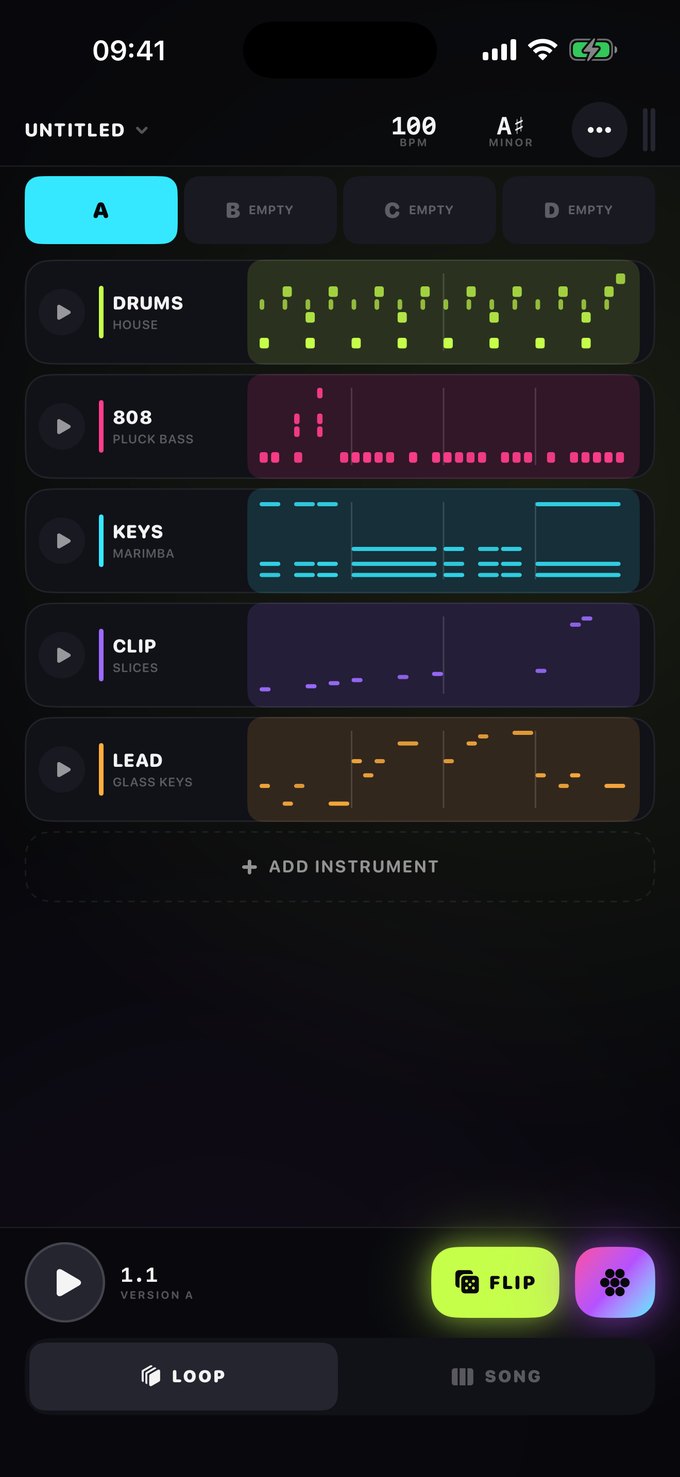
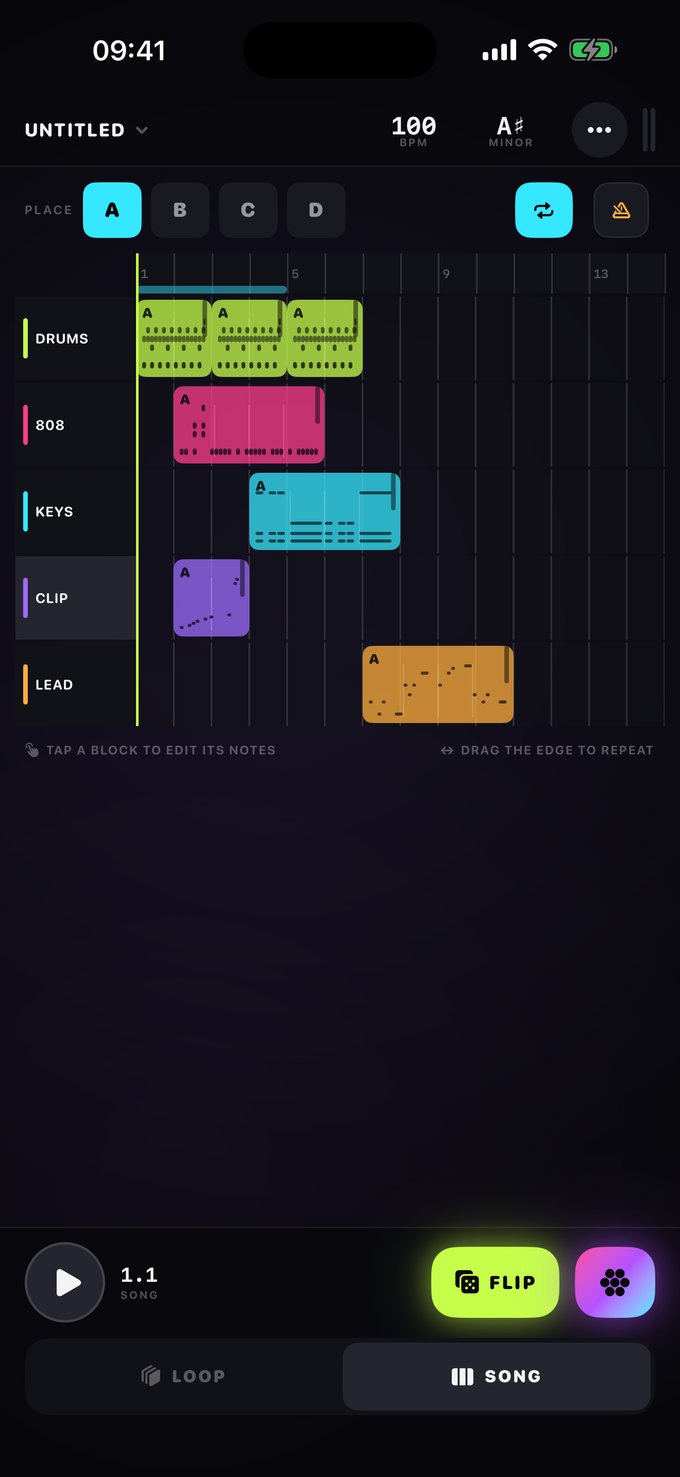
Drums, 808, keys and your chopped clip — all on one page. Tap a row and its notes open. There is no edit mode to find and no settings tree to climb.
- Per-sound pitch, attack, release, EQ and length for every single drum
- Four versions of every instrument, A to D, to launch between
- STRINGS, a bowed-string machine, comes with Pro
- Nothing is ever a dead tap — an empty row teaches or generates
Wormhole finds tempo and
key on its own, and chops
it into playable slices.
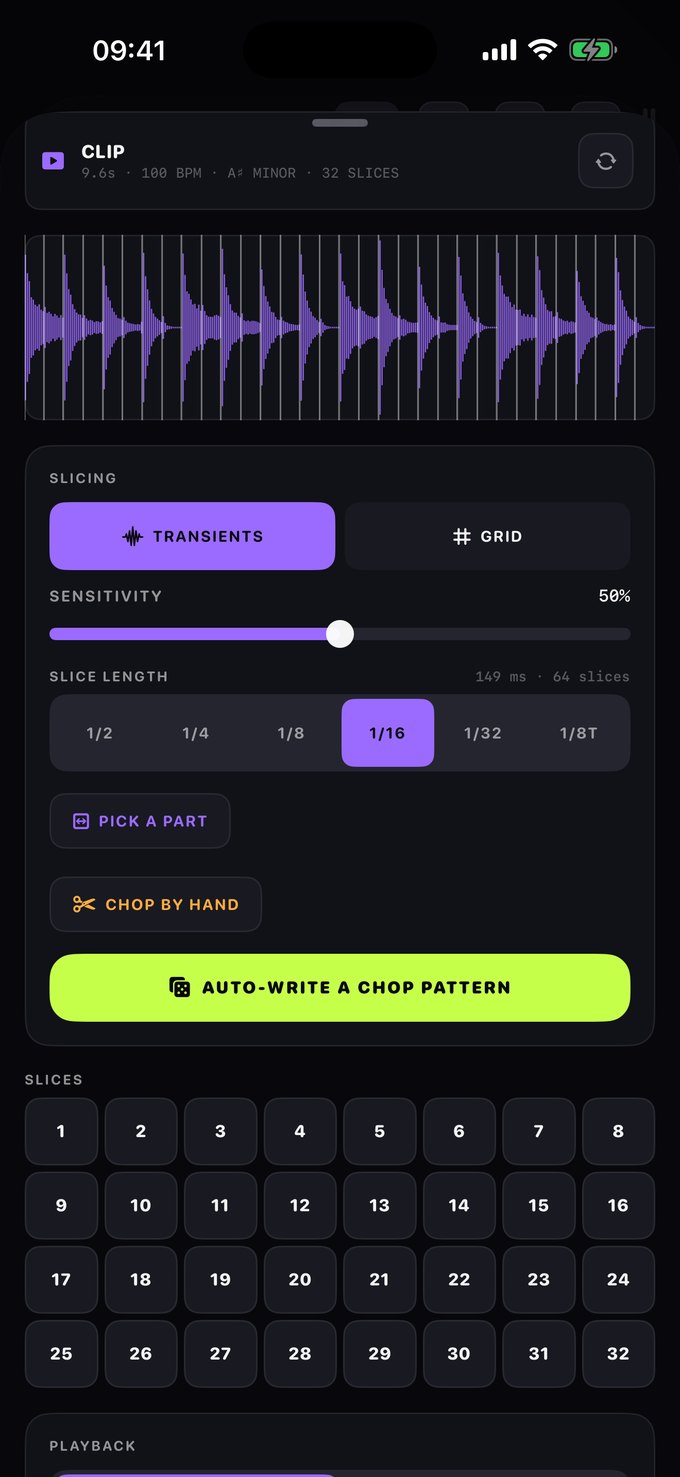
You do not type a BPM. Wormhole listens to the sound, works out how fast it is and what key it is in, and cuts it into slices that land on the grid.
- Chop on transients, on the grid, or by hand
- Pick one part of a long clip and chop only that
- Varispeed for the slowed-and-reverb sound, or keylock to hold pitch
You cannot hit
a wrong note.
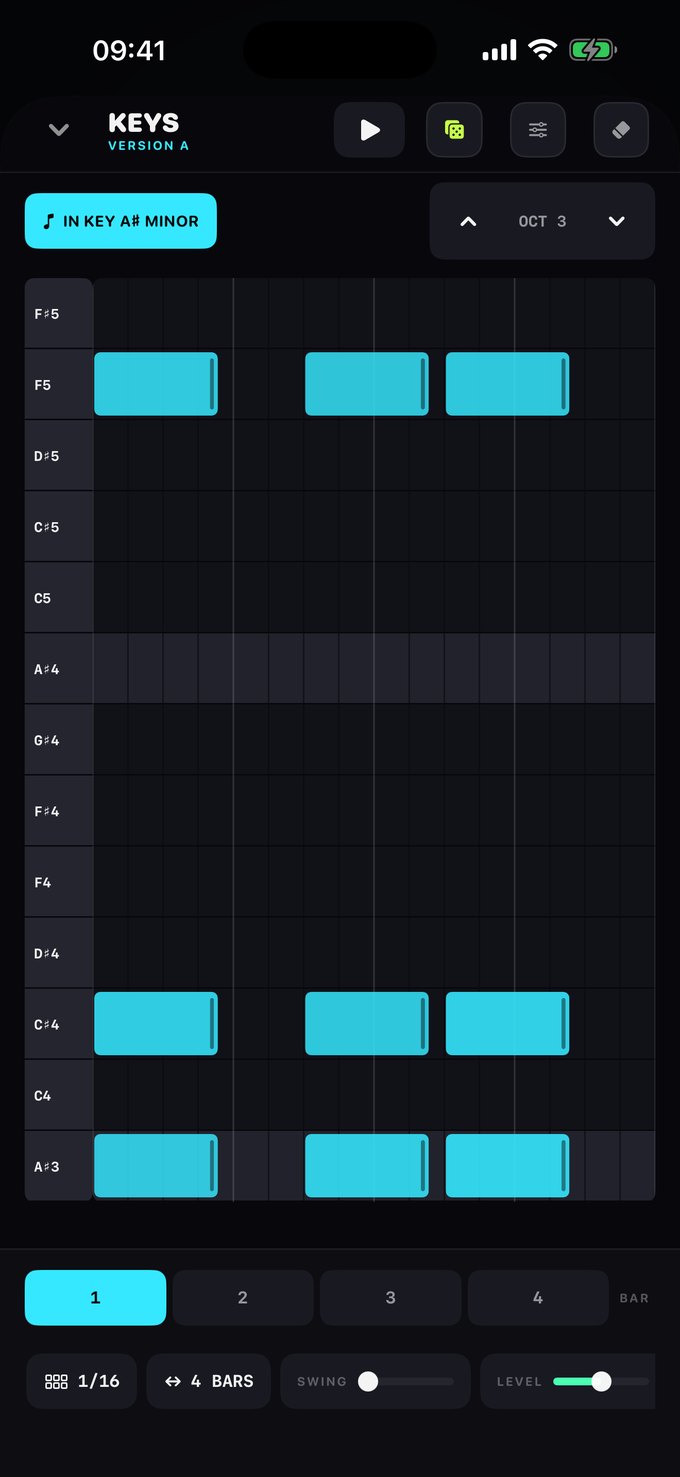
Every instrument is locked to your project’s key. Tap to place a note, drag to paint a run. Change the key later and the melodies move with it — Wormhole remembers the scale degree, not the pitch.
- 13 scales, each with a plain-language description
- Drag a note’s right edge to shorten the hit
- Swing, step size and bar count per clip
The Wormhole.
Send any sound in and it comes back out in your key. Freeze a single grain into a pad. Smear a vocal into a choir. Stutter a snare into a fill that was never played.
- A scale-locked granular bus — density, spread, drift, chaos, gravity
- Freeze, reverse and feedback, all performable live
- Resample the result onto its own track and chop that again
Loops become
a song.
Place your versions on a timeline and drag a block’s edge to repeat it. That is the entire arrangement view — no track headers, no mixer you have to open first.
- Automation is a layer over the song, not a stack of lanes
- Draw a filter opening into a drop, or the Wormhole swelling under a chorus
- Eight destinations, chosen as outcomes — not forty parameters
A vertical video,
ready to post.
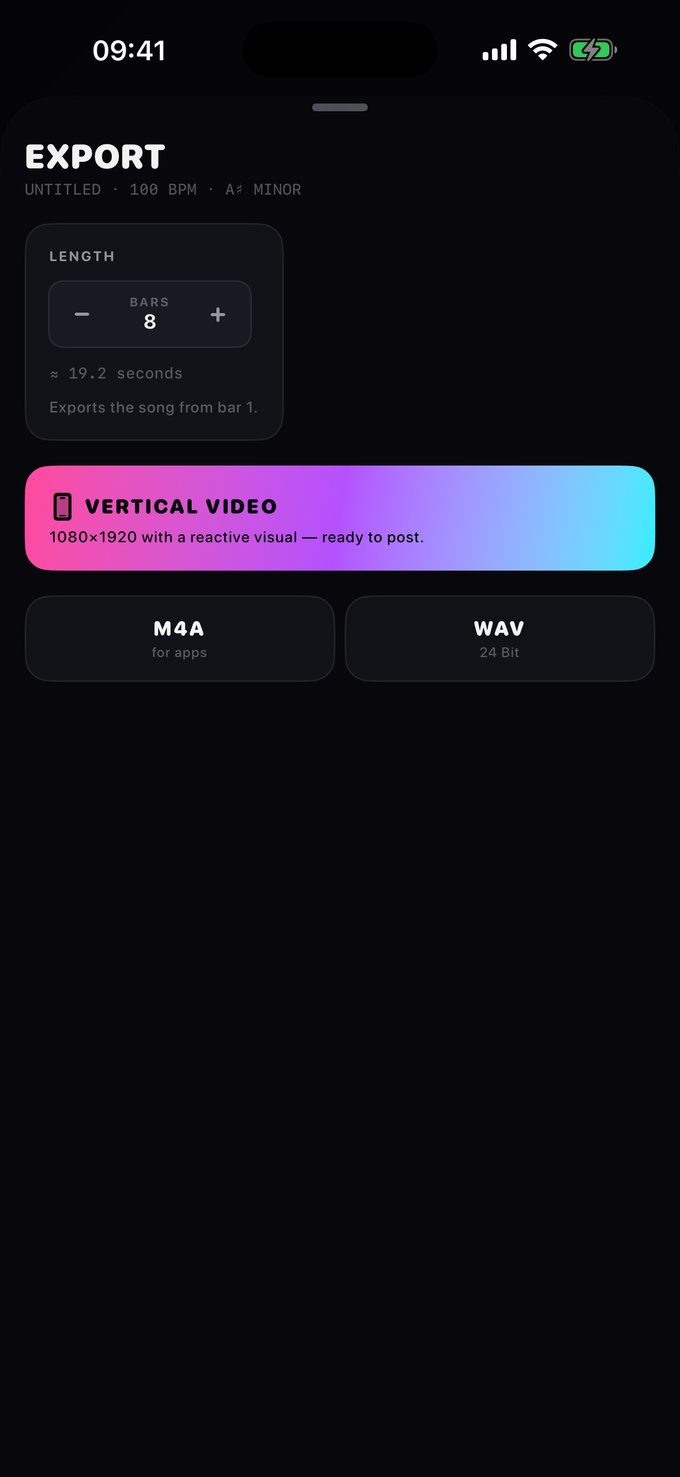
1080×1920 with a visual that reacts to what you made — straight to your feed with nothing in between. Or take the audio: M4A for other apps, 24-bit WAV for your DAW.
Under it
Built properly.
Price
Free to make music in.
Pro is there if you want the ceiling gone. The synth, the drums, the sampler and the Wormhole itself are in the free app.
Wormhole
Everything that makes a sound.
Free
- The synth, the drums, the sampler and the full slicer
- The Wormhole bus, complete
- Unlimited audio export, M4A and WAV
- 3 projects, 4 tracks, up to 16 bars
Wormhole Pro
The ceiling, removed.
€2.99 a month · or €19.99 a year
- Unlimited projects and song length
- All 8 tracks, versions A to D, and the STRINGS machine
- The sample packs, and iCloud sync across your devices
- Video export without the corner mark
- Every future Pro feature, at no extra charge
Everything that makes a sound is free. Pro only lifts the ceiling, and you can cancel it in two taps.
Something you already
have is a beat.
It just needs chopping.